Headless Browser Scraping vs Managed Scraping APIs
Self-hosted scrapers hide massive maintenance costs that managed APIs eliminate.
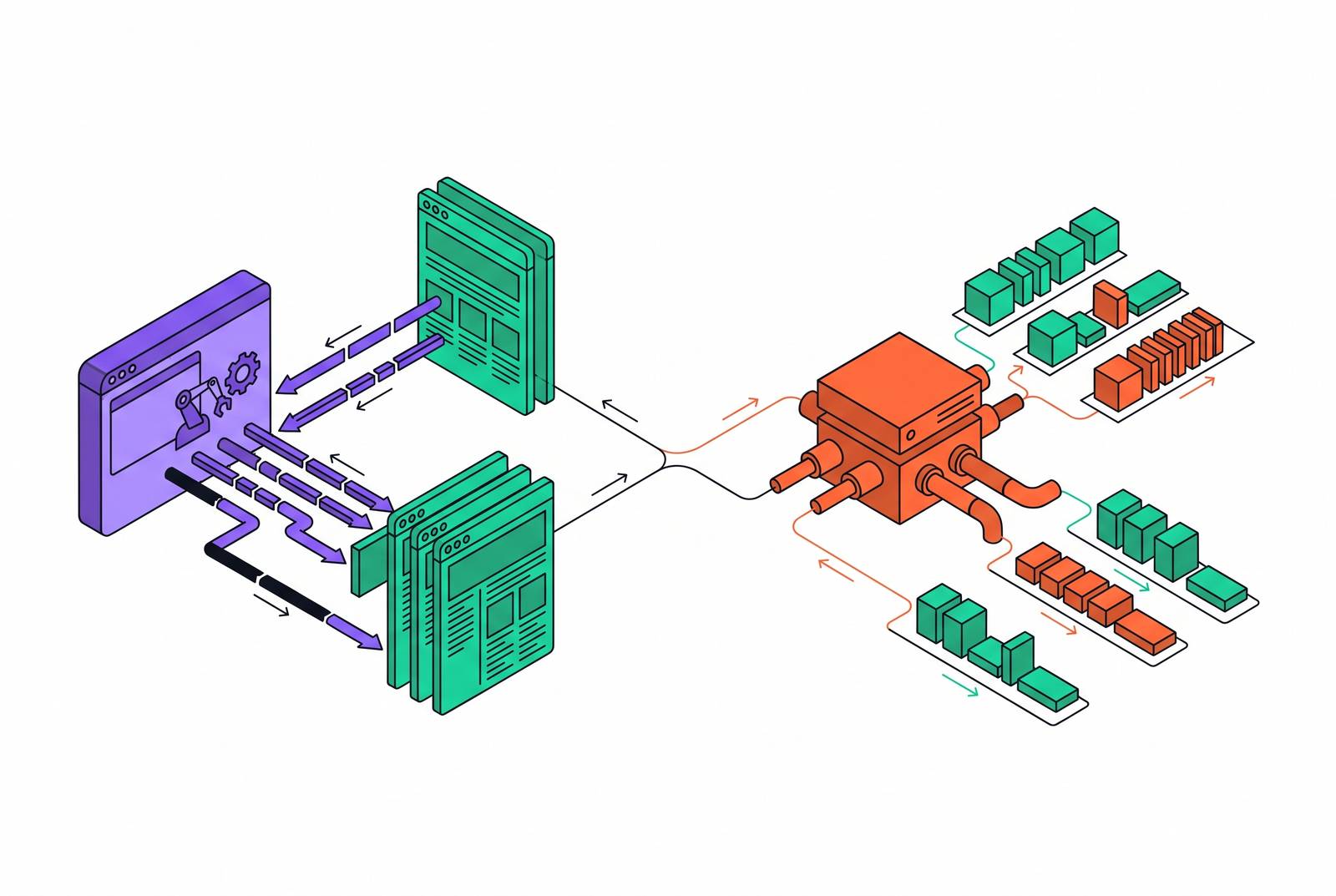
Choosing between a self-hosted headless browser and a managed scraping API comes down to one question: where does the operational burden land, and who's staffed to absorb it? For teams building AI pipelines that need fresh, structured web data on tap, that answer is clearer than most engineering teams realize, usually after they've already sunk months into the wrong one.
The scale here isn't small. The AI-based web scraping market is projected to hit $3.16 billion by 2029, growing at a 39.4% compound annual rate. And per F5's 2025 Advanced Persistent Bots Report, more than half of all website and API traffic today is automated. The web that AI agents need to read is the exact same web that every bot detection system is built to fight off. Two approaches dominate how teams solve this: run your own headless browser stack, or pay someone else to run one for you. What each path actually costs is the subject of this piece.
What headless browsers actually do and why they became the default starting point
A headless browser runs a real browser engine, Chromium, Firefox, or WebKit, without displaying anything on screen. It renders JavaScript, clicks through DOM elements, and fakes normal browser behavior well enough to load a page the way a person's browser would. Tools like Puppeteer, Playwright, and Selenium are the usual names attached to this.
Why bother? Because plain HTTP requests miss a huge share of the modern web. Headless browsers work correctly on 68% more sites than simple HTTP scrapers do, mostly because so much of the web won't return real content until JavaScript actually runs and builds the page.
Puppeteer and Selenium started as testing tools, built to make sure a web app didn't break after a deploy. Playwright came later, developed to serve both testing and scraping, and it runs a single API across Chromium, Firefox, and WebKit. That's a real distinguishing feature: most tools lock you into one engine, and Playwright doesn't. It's a big part of why adoption climbed so fast.
Run any of these headless instead of headed, and the payoff shows up immediately: 2 to 15 times faster execution, a smaller CPU and memory footprint, and far easier scaling inside containers. Headless setups also push significantly more pages per minute than a GUI browser doing the same job. And the tools themselves cost nothing. Open-source, full control over the browser logic, no vendor lock-in. That pitch is real. It's also incomplete, because it hides where the actual bill shows up.
The true cost of running headless infrastructure yourself
Building the thing is the easy part, and it's still not cheap. Configuring HTTP clients, setting up a proxy pool, writing DOM parsing schemas, hardening against basic blocks: that's roughly 190 hours of engineering time before the system does anything in production. And that number covers the build only. It says nothing about keeping the thing alive once it's live.
That's where the real tax gets paid. Engineering reports from 2026 put it at 20% to 40% of a developer's annual working hours spent just fixing broken selectors, cycling out banned IPs, and patching pipelines that quietly stopped working last Tuesday. That's not a rounding error. That's a fifth to nearly half of a full-time engineer's year, spent keeping a scraper standing instead of building product.
Proxies compound the problem. Standard residential proxy rates in 2026 run $2.00 to $8.50 per gigabyte, and that number scales linearly with volume, so it hurts more the bigger the pipeline gets. Put it together, and a "free" Puppeteer setup pulling 100,000 pages a month off protected targets lands somewhere between $2,000 and $5,000 a month, all in:
- Proxy bandwidth: $1,500 to $3,000 a month
- Servers: $50 to $150 a month
- Engineering time to keep it running: $500 to $2,000 a month
- CAPTCHA solving, on top, variable
None of that counts the DevOps work needed to keep a Chromium cluster from leaking memory and falling over under load. Without someone dedicated to that job, headless fleets get flaky right around the point where the business actually depends on them. The license is free. The system behind it is not, and that gap is exactly where teams underestimate what they've signed up for.
How anti-bot detection has raised the floor on what self-hosted scrapers must handle
A default Puppeteer or Selenium session gets caught almost immediately if nobody's patched it. navigator.webdriver reads true, the screen dimensions look wrong for a real device, timing between actions is too clean, and OS-level signals that a real browser throws off are just missing. Sites don't need anything clever to catch that. It's a tell.
By 2026, detection stacks layer several signals at once:
- Fingerprinting across canvas rendering, WebGL, installed fonts, navigator properties, and TLS handshakes
- Behavioral checks: mouse movement, scroll rhythm, how fast someone moves from page to page
- Network-level flags: IP reputation, ASN lookups, patterns that give away a proxy
- Client hints and graphics stack quirks that a spoofed browser rarely gets right
And the rules keep changing. Cloudflare is set to enforce AI Training and Agent bot restrictions by default on ad-serving pages starting September 15, 2026, which means a scraper working fine one week can stop working the next with zero code changes on your end. Sites tend to update their bot detection monthly or faster, and a single Cloudflare rule change can burn a week of an engineer's time just tracking down why a job that worked yesterday doesn't work today.
There's a useful split buried in here: headless as a mode versus headless as infrastructure. A managed service running headless Chrome behind rotating residential proxies and real CAPTCHA handling behaves nothing like raw Puppeteer straight out of the box, even though both are technically "headless." The detection problem isn't really about headless mode. It's about what you build around it, or don't. Worth noting too: headful browsers, the kind with a visible UI, are becoming the default for agentic workflows that need to look convincingly human, since pixel-perfect behavioral realism matters more there than raw speed.
Legal ground is shifting alongside the technical fight. Major publishers are actively drafting formal policies on machine access to their content, and courts and regulators are redrawing where legitimate data collection ends and hostile scraping begins. The surface area a self-hosted team has to manage isn't just proxies and fingerprints anymore. It's legal exposure too.
What managed scraping APIs actually abstract away
A managed scraping API takes the whole stack, browser rendering, rotating proxies, CAPTCHA solving, fingerprint spoofing, behavioral mimicry, and collapses it behind a single HTTP call. Send a URL, get back a page.
Managed platforms typically cut total cost of ownership by 40% to 60% versus running the equivalent self-hosted setup, once you factor in developer time and infrastructure upkeep. Deployment time drops even further, by roughly 85% compared to standing up a self-hosted stack from scratch.
The distinction that actually matters for an AI pipeline is simpler than the vendor landscape makes it look. Ask one question: does the task only need to read a page, or does it need to act on one?
- Read-only work (fetch a page, render it, pull structured content out) is fully handled by a scraping API. No browser runs on your side at all.
- Action-taking work (click a button, scroll a feed, hold a login session, fill out a form) needs an actual browser session, either one you run yourself or one a managed cloud browser provider runs for you.
The landscape broadly breaks into three shapes in practice. Integrated platforms bundle browser, proxies, and anti-ban work into one system, the most reliable option but the one where you give up the most infrastructure control. Browser automation frameworks like Playwright, Puppeteer, and Selenium hand you full control, but every piece, proxy management, fingerprinting, CAPTCHA solving, retry logic, scaling, sits on your team's plate. And frameworks bolted onto add-on proxy services land in between: better access than a bare framework, but fragile, hard to debug when something breaks across three or four stacked layers.
Most AI pipeline work is read-only. Fetch a page, pull the content, hand it to the model. For that job, a managed API does the whole thing. A real browser session only earns its cost when the task requires acting, not just reading.
The managed scraping API landscape in 2026 and how the options differ
The vendors in this space aren't interchangeable, and the differences matter for how an AI pipeline actually gets built.
Browserless runs headless Chromium, Chrome, Edge, Firefox, and WebKit in the cloud, aimed at developers who want to keep writing Playwright or Puppeteer code without owning proxies, stealth, or anti-bot work themselves. It bundles in CAPTCHA solving, IP rotation, and session management, and it's a strong fit for JavaScript-heavy sites with real bot defenses at real scale.
Zyte API renders pages on Zyte's own infrastructure and applies proxy selection and anti-ban logic automatically depending on the target site. It's a single API that hides the operational mess underneath, and it applies heavier infrastructure only when a site actually needs that level of effort, which helps control cost. Browser rendering is something you choose to turn on, not something the system quietly avoids, which makes it a solid pick for large-scale jobs going up against aggressive blocking.
Bright Data brings the largest proxy footprint in the category, built for enterprise-scale jobs that need serious IP diversity. Its Web Unlocker product returns rendered HTML, JSON, Markdown, or screenshots, but turning that raw output into something a downstream pipeline can use is still work your team owns.
Scrapfly runs its browsers on its own Scrapium infrastructure with an anti-scraping protection layer that clears Cloudflare, DataDome, and more than 90 other detection systems automatically. Documentation and code samples are a real strength for teams that want to get moving fast.
Pricing model matters as much as feature list, because it changes the economics of an AI pipeline directly. Credit-based, session-based, and bandwidth-based pricing each produce very different cost curves depending on how heavy your pages are and how often you're rendering JavaScript. Hyperbrowser separates compute from proxy data explicitly: $0.10 per browser hour for compute, $10 per gigabyte for proxy data. That split matters, because it stops a JavaScript-heavy target from silently blowing through a bandwidth-capped budget the way bundled pricing models can.
Why AI pipelines specifically expose the limits of self-hosted scraping
Raw HTML is genuinely bad input for a language model. Embedded SVGs, tracking scripts, and deeply nested div structures burn tokens that carry zero meaning, and that noise doesn't just cost money. It slows inference down and actively degrades reasoning, because the model's attention has to wade through clutter to find the actual content.
RAG pipelines want high-throughput clean text. Agentic workflows want fast, structured responses with low latency. A self-hosted stack tuned to do one of those jobs well tends to fall down on the other, because the two have different bottlenecks.
There's a second pipeline hiding here that self-hosted setups rarely account for. Fetching the page is step one. Turning that page into token-efficient Markdown or clean structured JSON is a whole separate system, one the team has to build and then keep maintaining alongside the scraper itself. AI pipelines don't just need data pulled off a page. They need it shaped for the model, and that shaping is exactly where purpose-built scraping APIs earn their keep over general infrastructure.
Schema-driven extraction, where a developer defines the JSON shape they want back, is the right fit here. It hands the model data it can use immediately, no extra parsing layer standing between the fetch and the prompt.
Freshness is the other piece. An AI agent has to reason over the web as it exists right now, not a snapshot frozen at the model's training cutoff. A self-hosted scraper that quietly breaks or goes stale doesn't throw an error. It just feeds the model bad or outdated context, and the model has no way to know that's happening. In an agentic loop, plan, fetch, observe, replan, the fetch step has to be dependable, or the model's planning gets corrupted by an infrastructure failure it has no way to detect. A fragile scraper doesn't stay a scraping problem for long. It becomes a model performance problem.
When self-hosted headless scraping is still the right call
None of this means self-hosting is always wrong. It's the right call for a specific, narrow set of jobs, and it's worth naming them plainly:
- Login-protected dashboards, where session state has to persist across a long chain of authenticated steps
- Dynamic filters, search forms, and "Load More" flows that need sequential clicking and watching, not a single fetch
- Sites running strict behavioral checks, where only a headful browser acting like a real person gets through
- Computer Use agent setups, like Anthropic's Claude Computer Use or OpenAI's Computer Use, where the model drives an actual virtual environment (a real or virtualized desktop for Claude, a cloud-hosted virtual browser for OpenAI's version) directly. Powerful for handling UIs nobody's built a scraper for yet, but expensive per step and fragile against anti-bot defenses.
Self-hosting also only makes sense under certain organizational conditions. Dedicated DevOps capacity already needs to exist. Full control over fingerprinting and proxy behavior has to be a genuine product requirement, not just a preference for control's sake. And the team needs to have actually staffed for the maintenance tax, not just accepted it in theory.
In practice, plenty of teams run a hybrid setup: a managed API handling high-volume read tasks, paired with a self-hosted or managed browser for the action-heavy flows. These two approaches aren't in competition. They solve different halves of the same problem.
Per Browserbase, 73% of developers have adopted headless automation somewhere in their stack. But adoption isn't the same thing as fit. A lot of teams are running headless because it was the first tool they reached for, not because anyone checked whether it was the right one for the job at hand. The honest test cuts through the noise fast: if 20% to 40% of engineering time is going toward keeping a scraper alive instead of building the product, the case for self-hosting has already collapsed, whatever anyone's stated preference for control might be.
How to match the decision to the actual workload
The real question was never about technical capability. Both approaches can technically get the data. The real question is ownership: how much of this stack does the team actually want to maintain, and does that maintenance work do anything for the product, or just keep it from breaking?
Match the decision to the job in front of you:
- Fetching a read-only page with JavaScript rendering, meant as input for an LLM or a RAG system: use a managed scraping API. No browser fleet required on your end.
- Crawling a full site to build a knowledge base or RAG index: use a managed crawl API that returns clean Markdown, and save the self-hosted route for the narrow set of cases above, where session state, sequential interaction, or a Computer Use agent actually demands it.